ShopDreamUp AI ArtDreamUp
Deviation Actions


Suggested Deviants


Suggested Collections


![Textime 1.1 [Rainmeter Skin]](https://images-wixmp-ed30a86b8c4ca887773594c2.wixmp.com/i/ee7c62bd-521a-4295-b96e-2a25f177ea51/d65iqux-0a3af7da-6b10-4568-bb7a-481b5885bd7a.png/v1/crop/w_184,h_184,x_36,y_0,scl_0.29725363489499,q_70,strp/textime_1_1__rainmeter_skin__by_jlynnxx_d65iqux-92s-2x.jpg)
![Textime 1.1 [Rainmeter Skin]](https://images-wixmp-ed30a86b8c4ca887773594c2.wixmp.com/i/ee7c62bd-521a-4295-b96e-2a25f177ea51/d65iqux-0a3af7da-6b10-4568-bb7a-481b5885bd7a.png/v1/crop/w_92,h_92,x_18,y_0,scl_0.1486268174475,q_70,strp/textime_1_1__rainmeter_skin__by_jlynnxx_d65iqux-92s.jpg)


You Might Like…


Featured in Groups





Description
PLEASE, MAKE SURE TO HAVE RAINMETER 1.2 INSTALLED TO RUN THESE SKINS
DOWNLOAD RAINMETER 1.2 FROM HERE
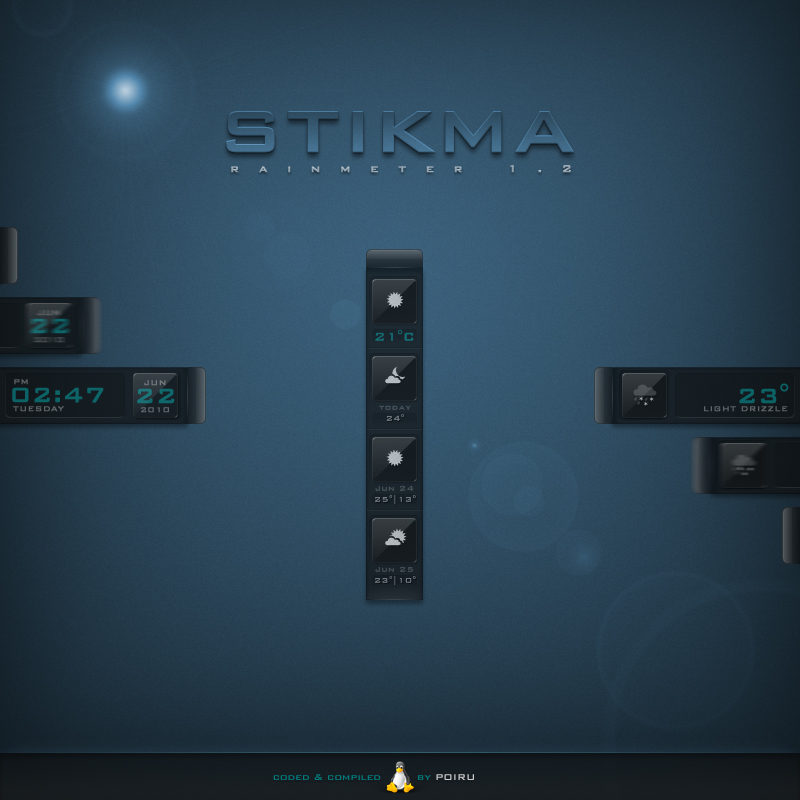
CLOCK/DATE |left & right versions
WEATHER | (current)
WEATHER | (2 days)
INSTALLATION |- unzip and then doubleclick the "Stikma-Rain.rmskin" file. the suite (+ the required fonts) will be automatically installed to your rainmeter then
- rightclick the rainmeter icon in your systray and go to "configs" >> "Stikma" and select a skin of your liking
WEATHER CODE |- go to weather.com and search for what you see fits best to your current location
- in your browser's addressbar look for the weather code:
www.weather.com/weather/today/XXXXXXXX
- copy the 8-digits code, then go to the "Stikma" skin's root folder and open the "Variables.txt" file in windows' notepad
- replace the already existing code with the one you've just retrieved from your browser's addressbar
- save your changes, refresh the skin and you're done
CREDITS |a massive heap of THANK YOUs goes out to the man =poiru who coded and compiled this suite and who offered his help ever so generously to make this suite come to life.
please, make sure to visit poiru's gallery
MORE OF STIKMA |




© 2010 - 2024 OtisBee
Comments124
Join the community to add your comment. Already a deviant? Log In

dude you are the best thank you (Danke)